
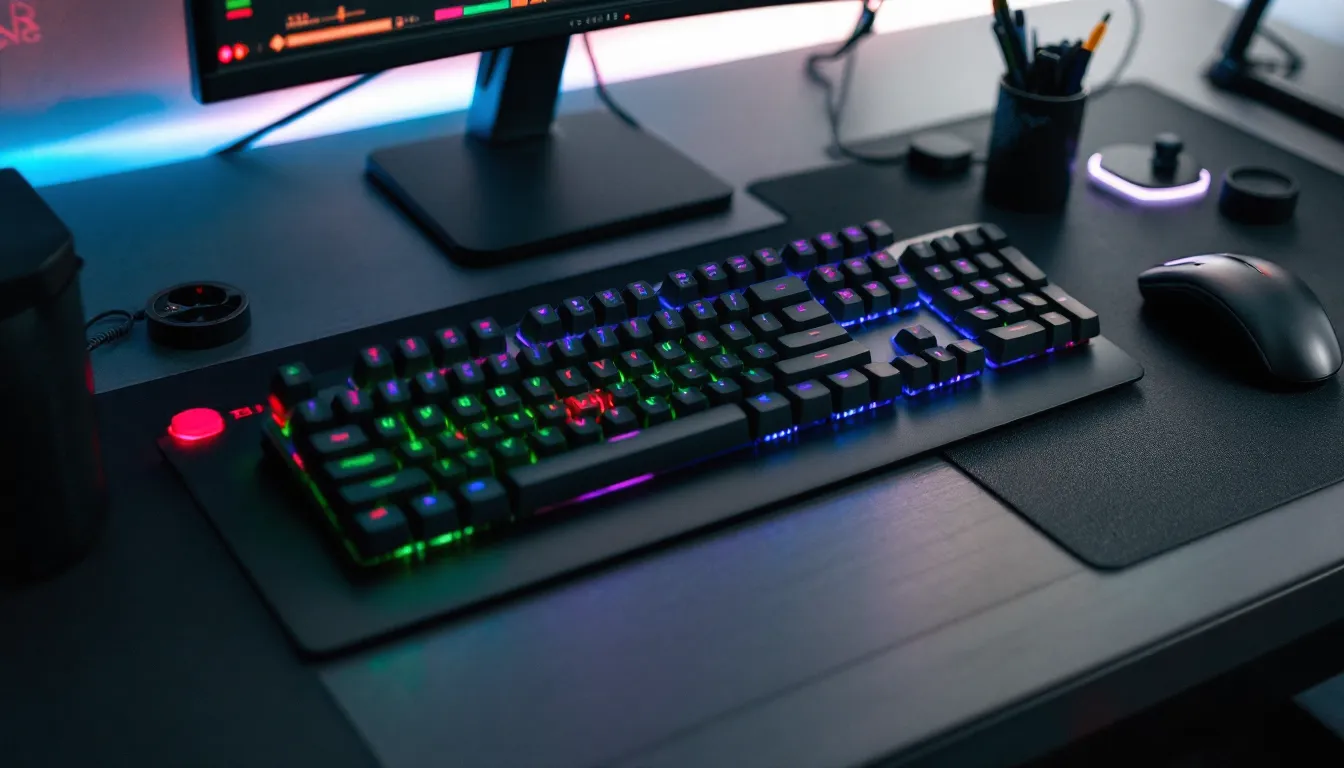

Picking the right gaming keyboard isn’t just about hitting keys faster, it’s about finding the tool that matches how you play. Whether you’re grinding competitive FPS matches, managing 100+ hotkeys in strategy games, or hunting for portability, the gaming keyboard market in 2026 has exploded with options that actually cater to different playstyles. But here’s the thing: not every flashy RGB board will improve your performance, and expensive doesn’t always mean better. This guide breaks down exactly what separates a glorius gaming keyboard from the pack, from switch mechanics that affect your TTK to features that let you bind macros faster than your opponents can react. We’ll walk through the tech, the categories, the budget tiers, and the maintenance tips you need to keep your keyboard performing at its peak.
Key Takeaways
- A glorious gaming keyboard combines mechanical precision, reduced input lag, and responsive feedback tailored to your gaming genre, not flashy features alone.
- Linear switches excel for FPS speed, tactile switches suit strategy and MOBA games for precision feedback, and clicky switches appeal to casual players who prioritize satisfaction over competitive edge.
- Mid-range keyboards ($100–$200) deliver the best value, offering premium mechanical switches, reliable build quality, and customization options without unnecessary premium pricing.
- Programmable keys and macros are essential for MOBA and strategy games but are restricted in competitive titles like Valorant and CS2—always verify your game’s terms of service.
- Regular maintenance including monthly dust cleaning, avoiding spills, and handling switches carefully can extend your gaming keyboard’s lifespan to 5+ years despite millions of keypresses.
- Wired keyboards guarantee zero latency for esports play, while quality 2.4 GHz wireless keyboards now match wired performance for streamed ranked play and offer superior portability.
What Makes a Gaming Keyboard Stand Out From the Crowd
A solid gaming keyboard does more than just feel nice under your fingers, it’s built to handle the demands of competitive play and long sessions without lag, missed inputs, or fatigue. The best gaming keyboards combine mechanical precision, thoughtful ergonomics, and responsive feedback that lets you trust every keypress. When you’re clutching a 1v5 in Valorant or executing a perfect combo in a fighting game, milliseconds matter. A keyboard designed for gaming reduces input lag, offers programmable keys for your most-used abilities, and stays comfortable even during marathon streams or tournament play.
What separates gaming keyboards from standard mechanical boards? It’s specificity. Gaming keyboards prioritize anti-ghosting (preventing false keystrokes when multiple keys fire simultaneously), N-key rollover for complex simultaneous inputs, and materials engineered to withstand millions of keypresses without degrading. The difference in build quality between a budget membrane board and a proper gaming keyboard becomes obvious the moment you need to execute frame-perfect inputs.
Key Mechanical Features That Elevate Performance
Mechanical switches are the foundation of gaming keyboard performance. Each switch mechanism, whether linear, tactile, or clicky, sends an electrical signal the instant it registers, and that actuation consistency matters. Gaming keyboards use gold-plated contacts and stabilizers engineered to eliminate wiggle and mushy feel on larger keys like spacebar and shift.
Polling rate is another critical metric. A 1000 Hz polling rate (1 millisecond response time) is industry standard for gaming keyboards, meaning the keyboard reports its state to your PC 1000 times per second. Some premium boards now offer 8000 Hz or even higher, though the practical difference diminishes past 1000 Hz on most games. You’ll notice it in extreme precision scenarios, think tracking headshots in Valorant or rapid-fire inputs in rhythm games, but for most gamers, 1000 Hz is the sweet spot.
Actuation distance (how far you need to press before the switch registers) directly affects your speed. Most mechanical switches actuate around 2mm, but some gaming-focused switches reduce this to 1.5mm or even 1.2mm, letting you execute inputs faster. This matters in FPS games where split-second reactions define the meta.
Ergonomics and Comfort for Extended Gaming Sessions
Put your hands on the wrong keyboard for three hours and your wrists will remind you for days. Proper ergonomics isn’t just about comfort, it’s about maintaining your performance over marathon sessions and preventing repetitive strain injuries that could sideline your gaming.
A good gaming keyboard should have a slight negative or neutral slope (tilting down rather than up toward the spacebar), which keeps your wrists neutral and reduces strain. Wrist rests come standard on most gaming keyboards now, but quality matters, memory foam that holds its shape beats cheap padding that flattens within weeks. The keyboard’s height and key profile (how the keys are shaped and staggered) affect how your fingers naturally rest.
Occasional gamers might not notice ergonomic differences, but competitive players and streamers who clock 6+ hours daily absolutely will. A keyboard like those reviewed on professional gaming gear sites that prioritizes comfort without sacrificing speed becomes essential. The angle of your hands, the distance between the keyboard and your chest, and how much your fingers travel all compound over time. That’s why many esports pros personally test keyboards during practice before committing to them in tournament settings.
Switch Types and How They Impact Your Gameplay
Your choice of switch type is one of the most important decisions when buying a gaming keyboard. The switch mechanism directly affects how the keyboard feels, sounds, and performs, and different game genres benefit from different switch characteristics.
Mechanical vs. Membrane: Understanding the Difference
Mechanical switches use individual spring-and-stem mechanisms for each key, while membrane keyboards rely on a rubber dome beneath the entire key matrix that compresses when pressed. The difference is night and day if you’ve spent real time with both.
Mechanical switches provide tactile feedback, you feel and hear the keypress register, which gives you confidence that your input went through. They’re also more durable: mechanical switches are rated for 50+ million keypresses, while membrane domes typically fail after 5-10 million. Mechanical switches also allow for significantly faster actuation speeds and, crucially, N-key rollover, meaning you can press multiple keys simultaneously without losing inputs.
Membrane keyboards are cheaper and quieter, which is why office environments use them. But for gaming? They introduce input lag, feel mushy, and start registering false keypresses as the rubber domes degrade. Once you’ve played on a mechanical keyboard with proper switch feedback, going back to membrane feels like playing with your hands tied.
The trade-off is noise. Mechanical keyboards are louder, which matters if you’re streaming and using a decent microphone, or if you share walls with roommates. But for performance-focused gamers, the advantages far outweigh the noise.
Linear, Tactile, and Clicky Switches Explained
Within mechanical switches, there are three main categories that affect how the switch feels from press to release:
Linear switches (like Cherry MX Red or Gateron Yellow) move straight down without any bump or click. The keystroke is smooth and consistent, with no tactile feedback until the key bottoms out. Linear switches have the lowest actuation force (typically 45-55g) and fastest response, making them ideal for FPS games where speed matters most. They’re also the quietest of the mechanical options. If you’re grinding Valorant or CS2, linear switches let you tap keys rapidly without the resistance of other switch types.
Tactile switches (like Cherry MX Brown) have a small bump in the middle of the keypress that you feel but don’t hear. This bump gives you physical feedback that the key registered without the audible click. Tactile switches sit between linear and clicky in terms of actuation force and speed. They’re great for MOBA and strategy games where you want feedback that your macro executed but don’t need the raw speed of linear switches. Many competitive players who play multiple genres prefer tactile as a versatile middle ground.
Clicky switches (like Cherry MX Blue or Razer Green) have both a tactile bump and an audible click sound. They require higher actuation force (typically 60+ grams) and are the slowest to actuate. Clicky switches are beloved by typing enthusiasts and casual gamers, but most competitive esports pros avoid them for ranked play because the higher actuation force can slow you down compared to linear options. But, the audible feedback some players love makes clicky switches perfect if you’re not competing at the highest level and prefer the satisfying “click-clack” experience.
Your choice depends on your game and personal preference: FPS = linear for speed, Strategy/MOBA = tactile for precision and feedback, Casual/General use = clicky for satisfaction. Most high-end gaming keyboards let you swap switches, so you can experiment before committing to one type.
Essential Features Every Competitive Gamer Needs
Beyond the switches themselves, certain features separate keyboards that just work from keyboards that give you a competitive edge. If you’re playing ranked or considering streaming, these features matter.
Programmable Keys and Macro Functionality
Programmable keys and macro support are game-changers in MOBA, strategy, and MMO games where you need instant access to dozens of abilities. A programmable key is a button you can rebind to execute custom commands, whether that’s a single ability or a complex sequence of inputs.
Macros take this further: they’re recorded sequences of keypresses and timing delays. In World of Warcraft, for example, you could program a macro to execute your entire DPS rotation with a single button press. In strategy games like StarCraft II, macros let you quickly build unit compositions or switch between camera positions without manually hitting multiple keys in sequence.
Most gaming keyboards come with companion software (like Corsair’s iCUE, Razer Synapse, or SteelSeries GG) that lets you program keys and macros through a GUI. The best implementations let you store profiles for different games, so switching from Valorant to League of Legends automatically updates your key bindings.
Be aware: some competitive games have restrictions on macro use. Valorant and CS2 allow simple rebinds but prohibit complex macros that automate entire sequences. Always check your game’s terms of service before setting up advanced macros. The difference between a legal rebind and a bannable macro can be the difference between a competitive advantage and a permanent account suspension.
RGB Lighting and Customization Options
RGB lighting gets a lot of hype, and yes, it looks cool, but functionally? It’s a luxury feature, not a performance factor. That said, RGB done right serves a purpose: per-key RGB (lighting each key individually) lets you color-code your abilities for quick visual reference, group keys by function (abilities in blue, cooldowns in red, etc.), and create reactive lighting that pulses when you press keys.
For competitive play, per-key RGB is far more useful than underglow or per-zone lighting. Dimmer lighting profiles are essential since bright RGB in a dark room during a tournament stream looks good but drains your gaming rig’s power. Most premium gaming keyboards let you set RGB to static colors, gradients, or reactive modes with customizable brightness levels.
If you don’t care about RGB, budget gaming keyboards without any lighting exist and perform just as well mechanically. RGB is pure aesthetics, choose based on preference, not performance expectations.
Connection Type: Wired vs. Wireless Performance
Wired keyboards connect via USB (usually USB-C on newer models) and offer zero latency. The connection is hardwired, meaning there’s no wireless interference, no battery drain, and guaranteed signal. For competitive esports, wired is still the preferred choice because you eliminate any possibility of connection dropouts.
Wireless keyboards have improved dramatically. Modern gaming wireless keyboards use 2.4 GHz USB dongles (not Bluetooth) for faster response times, typically matching or nearly matching wired performance. The trade-off is battery management: wireless keyboards need charging every few weeks (premium boards last longer), and a dead battery mid-tournament is a nightmare scenario. But, the convenience of wireless, no cable management, easier portability, cleaner desk setup, appeals to many gamers.
On a reliable 2.4 GHz connection, the latency difference between wireless and wired is negligible for most games (under 5ms difference). But, in extreme precision scenarios like high-level fighting games or rhythm games where single-frame timing matters, wired keyboards remain the safer choice. For streaming and general ranked play, quality wireless keyboards like those reviewed on gaming hardware publications deliver solid performance without sacrificing speed.
Your decision should factor in your setup: If you’re traveling to tournaments, wireless offers portability. If you’re at a desk competing in online esports, wired guarantees zero connection hiccups.
Top Gaming Keyboard Categories for Different Playstyles
Not all gaming keyboards are built the same. Different genres reward different design philosophies, so your ideal keyboard depends on what you’re primarily playing.
FPS Gaming Keyboards: Speed and Precision
FPS games, Valorant, CS2, Apex Legends, Call of Duty, reward raw input speed and reliability. You need a keyboard that registers every input instantly, with linear switches offering the fastest actuation and minimal resistance.
FPS keyboards prioritize:
- Low-profile keys that reduce travel distance, letting you actuate faster
- High polling rates (1000 Hz minimum, 8000 Hz on premium options) for minimal input lag
- Compact or TKL (tenkeyless) layouts because most FPS players bind abilities to nearby keys (WASD + nearby keys like Q, E, C, F, V) and rarely use the numpad
- Minimal latency between keypress and signal registration
Top FPS keyboards like the SteelSeries Apex Pro or Corsair K95 Platinum are standard in pro settings because they deliver sub-1ms response times and let you customize actuation distance for each key. If you’re grinding ranked FPS, a keyboard optimized for speed will shave milliseconds off your response time, not game-changing alone, but cumulative across thousands of rounds.
MOBA and Strategy Game Keyboards: Macro-Heavy Solutions
MOBA games (League of Legends, Dota 2) and strategy games (StarCraft II, Total War) demand programmable keys and macro support because you’re managing camera movement, ability combos, item usage, and map positioning simultaneously. You need every key within comfortable reach and easy to access without looking down.
Strategy game keyboards typically feature:
- Full-size layouts with numpad, giving you access to more keys without awkward finger stretches
- Multiple programmable buttons (side buttons, macro buttons) for complex sequences
- Tactile or clicky switches that provide feedback when macros execute, confirming your input without requiring visual confirmation
- Customizable profiles that switch automatically when you launch League, Dota, or StarCraft
Many competitive MOBA players customize their keyboards extensively: remapping QWER abilities to their mouse thumb buttons for one-handed combos, programming camera shortcuts to function keys, setting up item purchase macros. The flexibility to program these without diving into config files is invaluable.
Compact and Portable Gaming Keyboards for On-the-Go Players
Portable gaming keyboards serve LAN tournament players, streamers who travel, and anyone who wants a gaming setup that fits in a backpack. These typically come in 65% or 75% form factors (removing the numpad and function row or just the numpad) to save space while keeping the essential keys.
Portable keyboards balance:
- Compact size (around 14-16 inches instead of 18+ for full-size)
- Mechanical switches for performance (you’re not sacrificing quality for portability)
- Durable construction that survives travel stress
- Hot-swap capability (user-replaceable switches) on some models, letting you repair damage without replacing the entire board
The trade-off is comfort during extended play. Smaller keyboards mean tighter key spacing and reduced wrist movement options, which can cause fatigue over 6+ hour sessions. But for traveling to tournaments or LANs, the portability outweighs the comfort loss. Many pro players keep a portable keyboard as their tournament backup and use a full-size board for practice.
How to Choose the Right Gaming Keyboard for Your Budget
Gaming keyboard prices span from $40 to $300+, and the question isn’t which is “best” in absolute terms, it’s which offers the best value for your needs and budget tier.
Budget-Friendly Options Without Sacrificing Quality
If you’re spending under $100, you’re looking at mechanical keyboards that deliver solid performance without the premium features or brand names. Budget gaming keyboards often use Outemu switches (clones of Cherry MX mechanisms) or Gateron switches, which are mechanically identical to more expensive alternatives but cost less due to simpler manufacturing.
What you get at the budget tier:
- Full mechanical switch actuation (not membrane)
- Basic RGB lighting (usually per-zone, not per-key)
- Standard 1000 Hz polling rate
- Wired connection (wireless adds cost)
- Limited programmable key options
Popular budget options include boards from PICTEK, HyperX Alloy, and rebranded gaming keyboards from Amazon. They’re not flashy, but they deliver legitimate performance. The risk: build quality may suffer. Cheaper stabilizers on spacebar can feel mushy, and the overall keyboard might feel plastic-y compared to premium options. But mechanically? A $60 keyboard with linear switches performs identically to a $200 keyboard with the same switches.
Budget keyboards are perfect if you’re new to gaming, unsure what switch type you prefer, or just need a solid board without investing heavily. Many casual and even semi-competitive players don’t need to spend more.
Mid-Range Keyboards with Balanced Performance
The $100–$200 range is where gaming keyboards hit their performance sweet spot. You’re getting better build quality, more customization options, and brand reliability without paying for premium materials or flashy features.
Mid-range keyboards typically include:
- Premium mechanical switches (authentic Cherry MX or proprietary high-quality variants)
- Per-key RGB lighting with reactive modes
- Better stabilizers that feel more refined on larger keys
- Hot-swap capability on many models, letting you swap switches without soldering
- Aluminum top plate or reinforced plastic for sturdier construction
- Wired or wireless options depending on the model
Corsair K65, SteelSeries Apex Pro (non-super), and Razer DeathStalker V2 sit in this tier. You’re getting proven reliability, customer support, and keyboards that perform competitively without the ultra-premium price tag. Most serious gamers find their sweet spot here: enough performance for ranked play and streaming, enough features to customize for your game, but not overextending your budget.
Premium Keyboards: When the Investment Pays Off
Premium keyboards ($200+) offer refinements that matter to esports pros and streamers: millisecond-level latency optimization, fully programmable macro support, premium switch options (including custom Hall Effect or optical switches), and ultra-durable materials like aircraft-grade aluminum.
These include Corsair K95 Platinum XT, SteelSeries Apex Pro Super, and Razer Huntsman V3 Pro. The price premium gets you:
- Adjustable actuation distance per key (game-changing for pros who optimize every millisecond)
- Tournament-grade build quality tested to survive professional esports conditions
- Premium materials (aluminum, premium switches) that age better than budget alternatives
- Better software with more granular control over lighting, macros, and profiles
Is the premium tier worth it? If you’re competing professionally or streaming full-time, the durability and customization options justify the cost. If you’re playing ranked casually, mid-range boards deliver 95% of the performance at 50% of the price. Review sites like TechRadar’s gaming peripheral guides break down performance differences across price tiers so you can see exactly what you’re paying extra for.
Many esports orgs standardize their players on premium keyboards not because budget keyboards don’t work, but because premium keyboards are more reliable during tournaments where a hardware failure can cost $250,000+ prize money. For everyday competitive gaming, mid-range represents the best value.
Maintenance and Longevity: Keeping Your Keyboard in Top Condition
A $150 keyboard should last years if you treat it right. Mechanical keyboards are durable, but dust, spilled drinks, and lack of cleaning can degrade performance over time.
Cleaning and Preventative Care Tips
Dust and debris accumulation is the #1 reason keyboards fail prematurely. Dust settles between keys and clogs switches, causing missed inputs and sticky keys. Cleaning your keyboard takes 10 minutes monthly and extends its lifespan significantly.
Basic cleaning routine:
- Unplug the keyboard (critical if you’re doing any deep cleaning)
- Turn it upside down and gently tap it to dislodge loose dust and debris
- Use compressed air to blow dust from between switches, hitting each key lightly
- Wipe the top of keys with a microfiber cloth (avoid liquids unless using minimal amount of water with a damp cloth, most keyboards aren’t waterproof)
- For sticky keys, use a cotton swab slightly dampened with isopropyl alcohol to clean around the switch stem (avoid getting liquid inside the switch)
Avoid eating or drinking near your keyboard. This is the biggest preventable cause of keyboard damage. Spilled soda, coffee, or even water can short circuits and make switches fail instantly. If you do spill something:
- Unplug immediately
- Let it dry completely (24+ hours) before plugging back in
- If it’s sugary (soda, juice), you’ll likely need to clean the affected switches with isopropyl alcohol
Don’t force keys or mash them aggressively. It’s tempting during intense moments, but repeatedly slamming keys doesn’t improve performance and wears stabilizers faster. Switches are rated for millions of presses, 50 million is standard, but aggressive play accelerates wear.
Switch Durability and Expected Lifespan
Mechanical switches are rated for 50-80 million keystrokes depending on the model. To put that in perspective, a casual gamer might hit a million keypresses per year, while a competitive FPS player grinding 8 hours daily could hit 5+ million yearly. This means your switches should last at minimum 5-10 years with normal use.
Switches degrade gradually: Initially, the actuation feels crisp and consistent. After 10-20 million presses, the tactile feedback or click might dull slightly. At 30+ million presses, you’ll notice the switch feeling “worn,” with less defined feedback. The switch still works, but the feel changes.
Stabilizers (the mechanisms supporting larger keys like spacebar and shift) degrade faster than individual switches, typically lasting 2-5 years with heavy use. When stabilizers wear out, you’ll notice spacebar feeling mushy or inconsistent. Many gamers replace stabilizers rather than the entire keyboard when this happens, it’s a $20-40 fix if you’re comfortable soldering, or under $100 if a shop does it.
The longevity difference between budget and premium keyboards often comes down to stabilizer quality. Budget keyboards use cheaper stabs that wear faster, while premium boards use Cherry or Durock stabilizers that stay consistent longer. This is one area where the premium tier genuinely lasts longer.
If you take reasonable care, minimal spills, monthly dust cleaning, avoiding aggressive key mashing, a decent gaming keyboard will perform reliably for 5+ years. Many competitive players replace keyboards more often due to wear from intense play than actual failure. A keyboard rated for 50 million keypresses is extremely durable if you’re not putting millions of presses on it monthly.
Conclusion
A glorious gaming keyboard comes down to matching the right tool to your play style, your game, and your budget. Whether you’re chasing esports glory, climbing ranked ladders, or just tired of your membrane board, the gaming keyboard market in 2026 offers genuine options that cater to every need.
Linear switches for FPS speed, tactile switches for precision in strategy games, programmable keys for MOBA macros, these aren’t marketing buzzwords, they’re functional differences that impact your performance and comfort. Mid-range keyboards deliver the best value for most gamers, combining solid mechanical switches, reasonable customization, and reliable build quality without the unnecessary premium features.
Remember: your keyboard is only part of your setup. A $200 keyboard won’t compensate for poor crosshair placement or map awareness. But a keyboard that’s comfortable, responsive, and tailored to your game removes friction between your brain and your gameplay. Spend the time figuring out what switch type feels right, what layout serves your games, and what features actually matter to you rather than chasing brand names or the most expensive option.
Take care of your keyboard, and it’ll take care of you for years to come.