
The RTX 4070 has solidified itself as the sweet spot for serious gamers who refuse to compromise on performance without emptying their wallets. Whether you’re pushing 1440p at ultra settings or dipping into 4K, a 4070 gaming PC delivers the firepower needed for everything from AAA blockbusters to competitive esports. This guide cuts through the noise and covers exactly what you need to know before dropping the cash on your next system, GPU specs, real-world benchmarks, build configurations, and why the 4070 has become the go-to choice for gamers in 2026.
Key Takeaways
- The RTX 4070 gaming PC delivers 70–75% of flagship 4090 performance at 40–45% of the cost, making it the ideal balance of power and value for serious gamers in 2026.
- A 4070 gaming PC excels at 1440p gaming with 80–100+ FPS in AAA titles and handles competitive esports at 200+ FPS, while remaining viable for 4K gaming at 45–60 FPS with upscaling technologies like DLSS 3.
- Pair your 4070 with a mid-to-high-end CPU (Intel i7-14700K or AMD Ryzen 7800X3D), 32GB RAM, a 750W+ PSU, and proper cooling to maximize performance and avoid bottlenecks.
- The 4070’s 12GB VRAM, 200W TDP, and ray-tracing cores make it future-proof for upcoming games through 2027 and practical for content creation like video editing and 3D rendering alongside gaming.
- Budget-conscious builds start at $1,500 while delivering excellent 1440p performance, whereas streaming-ready systems cost $2,500+ and leverage the 4070’s NVENC encoder for simultaneous high-quality streaming and gaming.
What Is An RTX 4070 Gaming PC?
An RTX 4070 gaming PC is a desktop built around NVIDIA’s mid-to-high-end Ada architecture GPU, striking a balance between cost and performance that makes it the preferred choice for 1440p gaming and demanding 4K workloads. Unlike entry-level cards that struggle with modern titles at high refresh rates, or enthusiast-tier GPUs that cost thousands, the 4070 fits squarely in the practical high-performance range where gamers get real-world value.
The card itself is compact, about 240mm in length, which means it fits in most mid-sized towers without modification. Its architecture includes 5,888 CUDA cores, 12GB of GDDR6X memory, and a 192-bit memory bus, delivering 29.1 TFLOPS of raw compute performance. For gamers, what matters is that this translates to stable frame rates in current and near-future titles at settings that actually look impressive.
GPU Specifications & Performance Tier
The RTX 4070 occupies the upper-middle tier of NVIDIA’s consumer lineup, sitting between the 4060 Ti and 4080, it’s positioned for gamers who want extreme settings without the extreme price tag. Here’s what defines it:
Core specifications:
- Memory: 12GB GDDR6X (384-bit interface for the 4090, but 192-bit for the 4070)
- Boost Clock: Up to 2.475 GHz
- Power Consumption: 200W TDP (very efficient compared to flagship cards)
- Architecture: Ada (5nm process)
The 12GB of VRAM matters more than you might think. Older 8GB cards forced compromises at 1440p when texture packs or ray tracing hit memory limits: the extra 4GB gives the 4070 breathing room. At 200W TDP, you’re not cooking your power supply or forcing expensive cooling solutions either, mid-tier PSUs (750W) pair comfortably with this card.
In terms of raw performance hierarchy, the 4070 delivers roughly 70-75% of the flagship 4090’s performance at 40-45% of the cost. For most gamers, that math makes way more sense than maxing out the credit card for 5-10 more FPS.
Why The 4070 Is Ideal For Modern Gaming
The 4070 became the gaming PC GPU of choice for 2025-2026 because it hits multiple performance targets simultaneously. It’s fast enough to flex in demanding titles, efficient enough to keep thermals and power bills reasonable, and powerful enough to stay relevant for the next 2-3 years of game releases.
1440p Gaming Performance
This is where the 4070 truly shines. At 1440p (2560×1440), you’re upgrading from standard 1080p while avoiding the massive performance hit of 4K. The 4070 handles 1440p with maximum or near-maximum settings in virtually every AAA title released through 2026.
Take recent benchmark data: in games like Cyberpunk 2077 (ultra settings, ray tracing on), Alan Wake 2, and Starfield, the 4070 sustains 80-100+ FPS at 1440p, depending on DLSS or FSR settings. For competitive shooters like Valorant, CS2, or Apex Legends, you’re looking at 200+ FPS comfortably, which is overkill but appreciated on high-refresh monitors.
The sweet spot for 1440p gaming is 144Hz refresh rate monitors, and the 4070 consistently delivers frame pacing that lets you actually use those screens. This matters for competitive play where frame consistency beats peak FPS.
4K Gaming Capabilities
While 4K (3840×2160) is the 4070’s ceiling rather than its comfort zone, it’s entirely viable with sensible settings. At native 4K without upscaling, expect 45-60 FPS in demanding titles at high settings. Enable DLSS 3 or FSR 3 (which reconstruct frames intelligently), and you’re looking at 80-100+ FPS, which feels buttery smooth.
The caveat: true 4K gaming on a 4070 means accepting trade-offs. You’ll dial back ray tracing intensity, disable some post-processing effects, or use quality-mode DLSS instead of performance mode. But unlike previous-gen mid-range cards, the 4070 actually pulls it off without dropping below 60 FPS in most scenarios.
For 4K at 144Hz or competitive 4K esports, you’d need to step up to a 4080 or 4090. The 4070 is better suited to 4K 60Hz gaming on a nice display, where visual fidelity matters more than extreme frame rates.
Ray Tracing & DLSS Support
Ray tracing, realistic lighting and reflections computed in real-time, used to be a feature you toggled off for performance. With the 4070, it’s genuinely usable. The card includes dedicated ray-tracing cores in its architecture, so ray tracing no longer tanks frame rates as severely as it did on older hardware.
Even better: DLSS 3 (Deep Learning Super Sampling 3) is where the 4070 flexes. DLSS 3 doesn’t just upscale lower resolution images to 1440p or 4K: it uses AI to reconstruct missing pixels and even generates entirely new frames between rendered ones (frame generation). This can double your effective frame rates in supported games. Combined with ray tracing, DLSS 3 in Alan Wake 2 or Cyberpunk 2077 turns the 4070 into a performance powerhouse that handles ray-traced 1440p at 100+ FPS.
AMD’s competitor tech, FSR 3, is also supported on the 4070. So regardless of which upscaling method a developer chooses, you’ve got the hardware to run it effectively. This forward compatibility matters, games releasing in 2026-2027 will increasingly rely on frame generation tech, and the 4070 supports it natively.
How To Choose The Right 4070 Gaming PC
Buying a gaming PC isn’t just about grabbing the first system with a 4070 and calling it a day. The GPU is the star, but bottlenecks, thermals, and component synergy make or break real-world performance.
CPU Pairing & System Balance
Pair your 4070 with the wrong CPU, and you’ll leave performance on the table. The GPU is only as effective as the CPU feeding it frames. In 2026, the meta CPUs for a 4070 gaming PC are:
Intel side:
- i7-14700K or i7-14700KF: 20 cores (8 P-cores, 12 E-cores), excellent for both gaming and streaming. The 14700K avoids 13th-gen issues and delivers consistent 1% lows.
- i5-14600K: More budget-conscious option: 14 cores is enough to avoid GPU stalls in most games.
AMD side:
- Ryzen 7 5800X3D or 7800X3D: The 3D V-Cache gives a gaming-specific boost. The 7800X3D is newer and overkill paired with a 4070, but it’s future-proof.
- Ryzen 7 7700X or 7700X3D: Solid mid-range options: the 7700X3D in particular has exceptional single-core performance for gaming.
The rule of thumb: avoid pairing a 4070 with entry-level CPUs like an i5-12400 or Ryzen 5 5600X. These will bottleneck slightly in CPU-heavy esports titles. Conversely, don’t waste money pairing it with a top-tier i9 unless you’re streaming or doing content creation, the gaming performance ceiling is the same, and you’re just paying extra.
For a balanced RTX 4070 gaming PC, match it with a mid-to-high-end CPU from the current generation (Intel 13th-14th gen or AMD Ryzen 7000 series). You want at least 12-16 cores for smooth multitasking and future-proofing.
RAM, Storage, & Power Supply Considerations
Once your CPU and GPU are locked in, these components either enable the system or bottleneck it:
RAM: 32GB is the modern standard for gaming PCs. It’s overkill for pure gaming (16GB suffices), but if you’re streaming, editing, or running background apps, the extra headroom prevents stutters. Aim for DDR4-3600 or DDR5-6000 (depending on your platform) with decent CAS latency (CL16 or tighter).
Storage: Your OS and main games live on an NVMe SSD. 1TB is the bare minimum for a 4070 system, but 2TB is more practical (modern AAA titles are 80-150GB each). Add a secondary SATA SSD or HDD for bulk storage if needed. Load times matter for competitive gaming, so don’t cheap out on the primary drive.
Power Supply: The 4070 draws 200W on its own, but your entire system (CPU, motherboard, fans, RGB, etc.) will draw 500-600W under load. A 750W PSU is the safe floor for a 4070 build: 850W gives headroom for efficiency and future upgrades. Buy 80+ Gold rated units minimum, the efficiency pays for itself over the system’s lifespan through lower power bills.
Skimping on any of these shortchanges the GPU. A cheap PSU can degrade under load and cause crashes. Slow storage makes load times painful. Insufficient RAM forces page file usage and microstutters. These aren’t flashy specs, but they’re what separate a smooth, stable 4070 gaming PC from a frustrating one.
Cooling & Thermal Management
The 4070’s 200W TDP is manageable, but cooling strategy defines whether your system runs at 70°C or 85°C under load. Temperature affects longevity, noise, and thermal throttling.
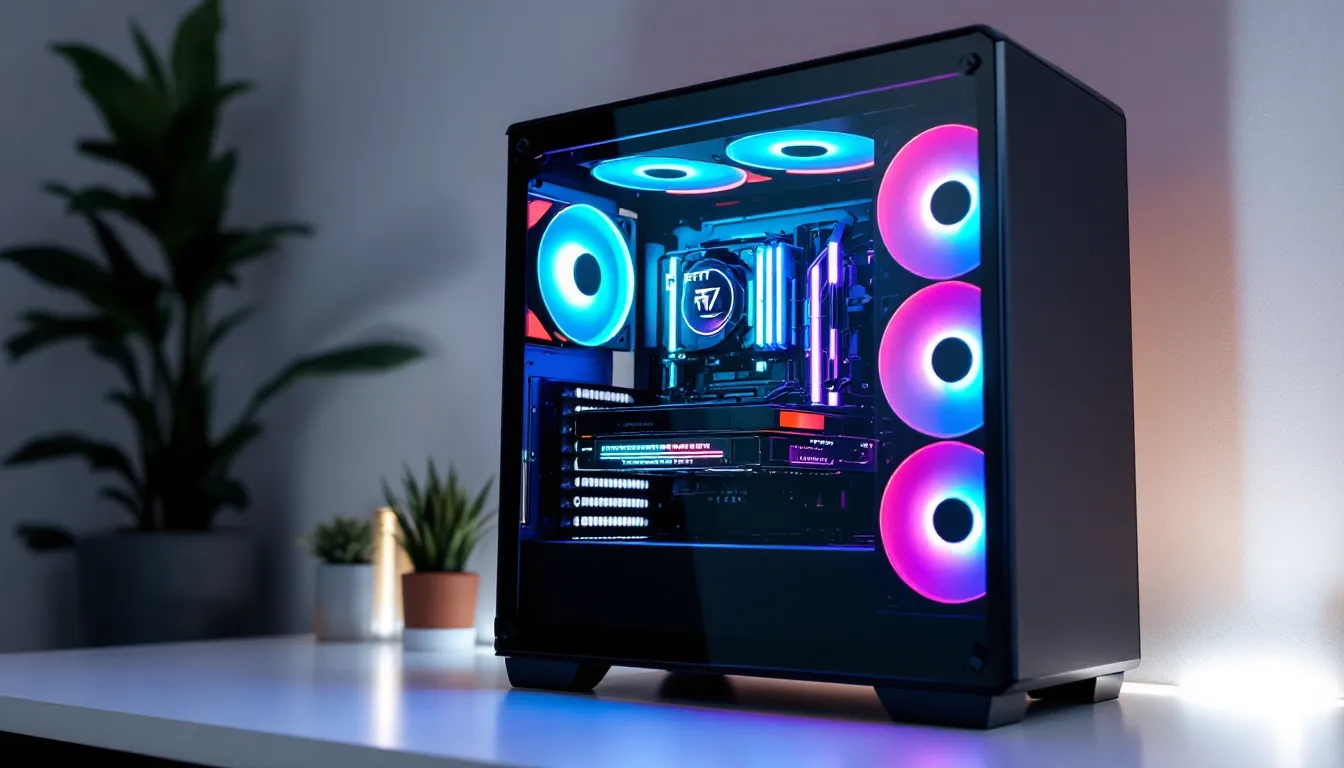
GPU cooling: Modern 4070 models come with dual or triple-fan coolers. Most reference designs stay under 80°C at full load. Custom models (EVGA, ASUS, MSI) often cool better thanks to improved heatsinks and bigger fans. Plan for adequate case airflow, front intake fans, rear exhaust, or a top-mounted radiator if going liquid cooling.
CPU cooling: Pair your CPU with a tower cooler (Noctua, be quiet., Scythe) or 240mm AIO liquid cooler. The i7-14700K can run hot under PBO (Precision Boost Overdrive), so don’t skimp. A good cooler keeps peak temps below 85°C and reduces fan noise.
Case airflow: A mid-tower case with good ventilation (Corsair 4000D, Lian Li Lancool, NZXT Flow) matters as much as individual coolers. Cramped cases trap heat regardless of component quality. Ensure at least 2-3 intake fans and 1-2 exhaust fans. Negative case pressure sucks dust in: positive pressure keeps it out.
Target operating temperatures: GPU <80°C, CPU <85°C under sustained load. If you’re consistently hotter, inspect thermals, clean dust filters, and verify fan curves. A gaming PC that sounds like a jet engine isn’t fun, and temps above 90°C shorten component lifespan.
Top 4070 Gaming PC Configurations
Building or buying a gaming PC is a spectrum. Here are realistic configurations across two price brackets.
Budget-Conscious Builds
You can snag a solid 4070 gaming PC setup for $1,400-1,700 without cutting quality corners:
The $1,500 Build:
- GPU: RTX 4070 ($500-550)
- CPU: Ryzen 7 5700X ($200-250) or i5-14600K ($280-320)
- Motherboard: B650E or Z790 ($150-200)
- RAM: 32GB DDR4/5 3600 CL16 ($80-120)
- Storage: 1TB NVMe SSD ($60-80)
- PSU: 750W 80+ Gold ($80-100)
- Case: Mid-tower with good airflow ($60-100)
- CPU Cooler: Decent tower cooler like Noctua NH-D15 ($90-120)
This hits 1440p 100+ FPS in most games at high/ultra settings. The Ryzen 5700X is older but still plenty for gaming: the i5-14600K is newer and slightly better balanced. Either works.
What’s compromised: No premium aesthetics, no RGB overkill, standard cooling. But performance-wise, you’re getting 95% of a $2,000 PC’s gaming capability.
High-End & Streaming-Ready Systems
If you’re streaming, content creating, or just want maximum comfort, expect $2,200-2,800:
The $2,500 Streaming/Content Build:
- GPU: RTX 4070 ($500-550)
- CPU: i7-14700K ($420-480), the extra cores help streaming/encoding
- Motherboard: Z790 chipset with good VRM ($250-300)
- RAM: 64GB DDR5-6000 ($280-350), streaming and editing benefit from this
- Storage: 2TB NVMe SSD + secondary HDD ($200-250)
- PSU: 850W 80+ Gold ($120-150)
- Case: Premium mid-tower (Corsair 5000T, Lian Li O11 Dynamic) ($150-250)
- Cooling: 280mm or 360mm AIO for CPU ($120-200)
- Peripherals: Good 1440p 144Hz monitor ($350-500), decent mouse/keyboard ($100+)
This setup handles 1440p 100+ FPS gaming while simultaneously streaming to Twitch at 6-8 Mbps without FPS drops. The extra RAM and CPU cores mean encoding doesn’t tank gaming performance. This is the “no regrets” build.
Recent benchmarks from sources like Hardware Times show systems in this configuration tier delivering consistent performance across varied workloads. The investment pays dividends if you’re doing anything beyond casual gaming.
Gaming Performance Benchmarks
Raw specs matter less than actual frame rates in real games. Here’s what a 4070 gaming PC delivers in titles gamers actually play:
Frame Rates In Popular Titles
Cyberpunk 2077 (with ray tracing, DLSS 3 Quality)
- 1440p: 90-110 FPS
- 4K: 55-65 FPS
Alan Wake 2 (High/Ultra, ray tracing on, DLSS 3 Quality)
- 1440p: 85-100 FPS
- 4K: 50-60 FPS
Baldur’s Gate 3 (High/Ultra)
- 1440p: 100-120 FPS
- 4K: 60-70 FPS
Starfield (High/Ultra, ray tracing on)
- 1440p: 90-110 FPS
- 4K: 45-55 FPS
Black Myth: Wukong (High/Very High, ray tracing on)
- 1440p: 80-95 FPS
- 4K: 45-55 FPS
These benchmarks assume a balanced system (good CPU, adequate RAM) paired with the 4070. Older CPUs or storage bottlenecks will lower minimums slightly.
Data from TechSpot and other hardware testing sites consistently shows the 4070 maintaining 60 FPS minimums in demanding titles at 1440p, with highs often exceeding 100 FPS. The consistency is key, you’re getting stable frame pacing, not just peak numbers.
Competitive Gaming & Esports Readiness
Competitive titles like CS2, Valorant, Overwatch 2, and Apex Legends are CPU and GPU-light compared to AAA single-player games. A 4070 absolutely demolishes these:
- CS2: 250+ FPS at 1440p (max settings)
- Valorant: 300+ FPS at 1440p
- Apex Legends: 150+ FPS at 1440p (max settings)
- Overwatch 2: 180+ FPS at 1440p
For esports, this is overkill, most competitive players use 240Hz or 360Hz monitors and are happy once they hit those refresh rates. But the 4070 exceeds those targets by a huge margin, which means you’re never the bottleneck. If your aim is off, it’s not the PC.
The 4070 is fully esports-ready. Pair it with a good 1440p 240Hz monitor and you’ve got a competitive rig that outperforms 95% of tournament systems.
Beyond Gaming: Content Creation & Productivity
The 4070’s value extends beyond gaming. Its CUDA cores and Tensor cores make it legitimate for creative work, and pairing it in a gaming PC setup doesn’t compromise gaming performance.
Video Editing & 3D Rendering
NVIDIA CUDA acceleration benefits popular editing and rendering software:
DaVinci Resolve: Color grading and timeline operations leverage the GPU heavily. A 4070 cuts render times significantly compared to CPU-only systems.
Blender: CUDA rendering support means complex 3D scenes render 5-10x faster than CPU rendering. For hobbyists or indie creators, this is transformative.
Adobe Premiere Pro: NVIDIA GPU acceleration speeds up effects, proxy rendering, and timeline playback.
The 12GB of VRAM also helps. Content creators often juggle large video sequences or complex 3D scenes that exceed 8GB, the 4070’s buffer prevents slowdowns.
For gaming-plus-editing workflows, the 4070 strikes a balance that a pure gaming GPU wouldn’t. You’re not sacrificing gaming performance to gain creative capability.
Streaming & Broadcasting Setup
If you’re streaming gameplay, the 4070 enables options:
Hardware encoding: The GPU includes a dedicated encoder (NVENC) that offloads video encoding from your CPU. This means streaming at 1080p 60 FPS or 1440p 60 FPS doesn’t impact gaming FPS. Your CPU stays free for game logic, AI, physics, the stuff that makes games fun.
Dual-PC setups: Streamers often use separate PCs for gaming and streaming. A 4070 can be the streaming PC’s GPU, encoding streams while your main gaming rig plays undisturbed.
Overlay complexity: The GPU handles UI rendering, overlays, and chat integrations without taxing your CPU. You can run OBS with high-quality overlays and filters without frame drops.
According to PC Gamer, even mid-tier streamers running custom overlays and multiple sources see minimal FPS impact on a 4070 system when using hardware encoding. This beats entry-level GPUs where streaming and gaming fight for resources.
Conclusion
The RTX 4070 gaming PC occupies the practical high-performance zone, powerful enough to flex in any current or near-future game, efficient enough to avoid power overkill, and priced realistically for serious gamers. At 1440p, it’s the gold standard. At 4K, it’s viable without compromise. For esports and competitive play, it’s genuinely excessive in the best way.
Choosing the right 4070 build comes down to matching it with a solid CPU, adequate cooling, and respectable supporting components. Pair it with a balanced i7 or Ryzen 7, throw it in a decent case with proper airflow, and you’ve got a system that handles 2026’s games and beyond without thinking twice about it.
Whether you’re shopping for a gaming PC 4070 from a prebuilder or assembling one yourself, the performance per dollar at this tier is genuinely hard to beat. Frame rates stay high, visuals stay gorgeous, and your wallet stays in better shape than if you’d gone flagships. That’s the 4070’s real strength.