
Whether you’re chasing nostalgia for arcade classics or building a centerpiece for your game room, gaming cabinets have evolved dramatically since the days of pixelated sprites and coin slots. In 2026, the market offers everything from faithful reproductions of 1980s arcade machines to cutting-edge custom builds with thousands of games loaded onto a single system. A gaming cabinet, whether it’s a sleek arcade machine, a retro standup, or a compact tabletop unit, delivers an experience that’s hard to replicate on a standard gaming monitor or TV. This guide breaks down what gaming cabinets are, how to choose the right one, where to find quality units, and how to set one up in your space. We’ll cover the practical details that matter: exact specifications, build quality, game libraries, and honest advice on whether a cabinet is worth your investment.
Key Takeaways
- Gaming cabinets combine authentic arcade experiences with modern features, ranging from classic reproductions ($300–$1,500) to custom DIY builds ($600–$5,000+) and high-end commercial machines.
- Build quality matters more than price—prioritize arcade-grade joysticks (Sanwa or equivalent), microswitches, reinforced plywood construction, and proper display technology with minimal input lag.
- Modern gaming cabinets offer flexibility through emulation software, supporting thousands of games across multiple platforms (NES, SNES, Genesis, Arcade), while classic models provide authenticity with fixed game libraries.
- Before purchasing, measure your space carefully—full-size cabinets need 2–3 feet of width clearance, 4–6 feet of height, plus proper ventilation and power access to prevent overheating.
- Maintenance extends cabinet lifespan to 15–20 years: monthly screen cleaning, quarterly button/joystick checks, and annual component inspections with replaceable parts readily available from established suppliers.
- If unsure about commitment, start with budget-friendly alternatives like tabletop cabinets ($100–$250), Raspberry Pi emulation ($35–$50), or arcade subscriptions before investing in a full gaming cabinet.
What Are Gaming Cabinets?
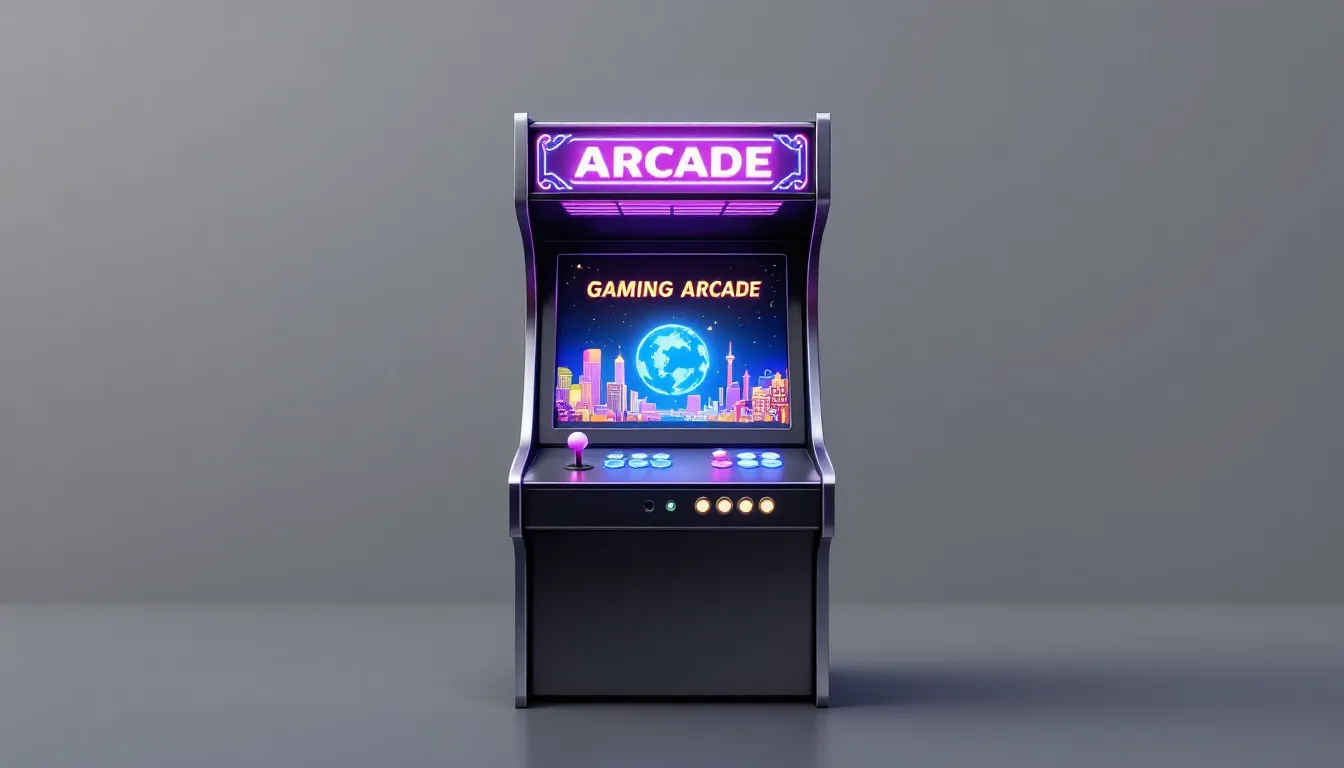
A gaming cabinet is an arcade-style machine, essentially a self-contained entertainment system housed in a wooden or metal cabinet. Unlike modern consoles or PCs, cabinets combine the display, controls (joystick, buttons, trackball), CPU, and game library all in one physical unit. Most cabinets are designed for arcade games specifically, though modern versions can emulate hundreds or even thousands of titles across multiple platforms.
The appeal is straightforward: authenticity and convenience. A properly built cabinet replicates the tactile feel of pulling back a joystick, smashing arcade buttons, and watching games on an authentic CRT or modern LCD screen without menus, updates, or power buttons. You walk up, insert a coin (or press play on newer models), and you’re in the game.
Today’s gaming cabinets fall into three rough camps: classic reproductions that stick to genuine arcade titles from the 1980s and 1990s, modern machines that include licensed IP or contemporary games, and DIY custom builds that can run anything from NES to Dreamcast emulation. Each serves a different use case, collectors typically prefer authentic units, while casual players often gravitate toward cabinets with massive game libraries and modern conveniences.
Types of Gaming Cabinets
Classic Arcade Cabinets
Classic arcade cabinets are purpose-built reproductions or original machines from the arcade golden age. These typically include legendary titles like Pac-Man, Donkey Kong, Street Fighter II, and Galaga. Modern reproductions from companies like Arcade1Up and Raw Thrills are built to spec with authentic layouts, original artwork, and CRT-style displays that match the era they’re mimicking.
What makes classic cabinets compelling is the hardware accuracy. A quality reproduction cabinet uses a proper joystick (usually a Sanwa or equivalent), microswitches that respond with the right tactile feedback, and a screen that displays games at their intended resolution. Original arcade cabinets, if you can find them, use actual CRT monitors, which are becoming increasingly rare and valuable.
The downside: classic cabinets typically ship with a fixed game library. A Pac-Man cabinet plays Pac-Man and a handful of variants, period. You’re paying for authenticity and nostalgia, not flexibility. Expect to spend $300–$1,500 for a quality licensed reproduction from an established manufacturer.
Modern Arcade Machines
Modern arcade machines blend retro aesthetics with contemporary features. These cabinets often include 1,000+ games, fancy LED lighting, networked multiplayer, and LCD screens with higher refresh rates and better color accuracy. Brands like Raw Thrills, Sega, and independent manufacturers have released cabinets with licensed franchises, think Final Lap by Taito, Arcade1Up’s Game Locker series, or custom ticket redemption machines designed for commercial venues.
These cabinets typically run custom operating systems or emulation software that lets operators or owners swap game libraries via software updates. Some include trackballs, light guns, racing wheels, or hydraulic motion systems depending on the design. They’re built for durability and can handle hundreds of plays per week in arcade settings.
Modern machines range widely in price: $500–$2,000 for a solid 4-player standup cabinet with a decent game library, up to $5,000+ for premium models with motion hardware or specialized controllers.
Custom-Built and DIY Cabinets
Custom gaming cabinets are built by enthusiasts or professional cabinet makers to exact specifications. These might use a Raspberry Pi, PC, or arcade-grade control board running MAME, RetroPie, or similar emulation software. A DIY builder can create anything from a compact gaming storage cabinet that holds hundreds of games to a full-size standup with hand-painted artwork and tournament-grade controls.
The advantage: complete customization. You choose the screen, the joystick type, the control layout, the games, the artwork, the cabinet dimensions, everything. You can build a cabinet that matches your preferences exactly and update the game library anytime.
The challenge: building a quality cabinet requires either technical skill or hiring a professional. A basic DIY build (woodworking, assembly, wiring) might cost $600–$1,500 in materials and labor. A professional custom build easily exceeds $2,000–$5,000, depending on complexity. Quality matters, cheap particle board cabinets warp, buttons wear out quickly, and joysticks become loose over time.
Key Features to Look For
Display Quality and Technology
The screen is everything in a gaming cabinet. Older machines used CRT monitors, which displayed pixel-perfect arcade games at lower resolutions (240p, 320×240) with minimal lag. Modern reproduction cabinets and custom builds typically use LCD or LED screens, often 24″ to 32″, which are brighter, last longer, and don’t require the maintenance of aging CRT tubes.
When evaluating a cabinet, check the refresh rate (60Hz is standard for most arcade games: 120Hz+ is overkill unless you’re playing modern fighting games). Look at input lag, the delay between pressing a button and seeing the result on screen. Quality arcade joysticks and buttons have near-zero lag, but a cheap LCD paired with slow emulation software can introduce 50–100ms of lag, which ruins timing-sensitive games.
Resolution and scaling matter too. Some cabinets render games at native arcade resolution and scale them cleanly on modern screens. Others blur or distort the image. If authenticity matters to you, verify that the cabinet supports pixel-perfect or integer scaling (1x, 2x, 3x).
Modern cabinets from reputable manufacturers often include customizable display settings, brightness, contrast, bezel options (digital artwork around the playfield), so you can dial in the look you prefer.
Build Quality and Durability
A gaming cabinet lives or dies by its construction. High-quality cabinets use solid wood (plywood or MDF) with reinforced joinery, not flimsy particle board that warps after a year. Buttons should be arcade-grade microswitches (Sanwa, Happ, or equivalent) that feel responsive and last through thousands of presses. The joystick should use a proper spring mechanism and ball-top or bat-top grip, avoid cheap knockoffs that feel mushy or have inconsistent response.
Check the control panel overlay (the printed graphics identifying each button). Quality cabinets use durable laminated decals: cheap ones use paper that peels and fades. Examine the button wells for signs of warping, and verify that the cabinet has proper ventilation to prevent overheating the electronics inside.
For commercial or high-traffic use, look for cabinets with tested durability ratings. Brands like Raw Thrills and Taito publish maintenance schedules and part availability. Custom DIY builds should use proven components: Sanwa joysticks, arcade-quality buttons, and arcade control PCBs from established suppliers.
Durability also means ease of repair. Can you replace a worn joystick or button? Are replacement parts available? A $400 cabinet that requires shipping it back to the manufacturer for a $20 joystick replacement is a poor value.
Game Library and Customization
For classic cabinets, the game library is fixed. A Pac-Man cabinet includes Pac-Man, Ms. Pac-Man, and maybe a few variants. That’s your choice.
Modern arcade machines and custom builds offer flexibility. Some ship with 1,000–3,000 preloaded games across platforms (NES, SNES, Genesis, Arcade, N64, etc.). Others let you add games via USB or download updates. Verify that the cabinet’s software supports the emulation systems you care about, if you only want arcade games, that’s straightforward: if you want NES, Sega, and Arcade all in one cabinet, confirm the hardware can handle it without slowdown or compatibility issues.
Check whether the cabinet is ROM-hackable or allows custom artwork. Some units are locked down: others let you upload your own game ROMs and control panel artwork. This is huge for long-term investment, a cabinet that supports community updates and customization will feel fresh years into ownership.
Also consider multiplayer support. Can the cabinet handle 2–4 players simultaneously? Does it support networked play with other cabinets? These features matter if you’re building a game room or commercial venue.
Where to Buy Gaming Cabinets
Official Retailers and Manufacturers
The safest route is buying from established manufacturers directly or through authorized retailers. Arcade1Up operates official stores and partners with major electronics retailers (Best Buy, Walmart, Target). Raw Thrills sells through distributors and arcade suppliers. These channels come with warranties, official support, and guaranteed authenticity.
When buying from a manufacturer, you’re paying a premium, but you get product support, documented specifications, and recourse if something arrives damaged. Arcade1Up cabinets typically cost $300–$800 for a 2–4 player unit with 50–100 games. Premium licensed machines (like NBA Jam or Golden Tee reproductions) can run $1,000–$2,000.
Look for cabinets with 1-year or longer warranties that cover defects in manufacturing. Some makers offer extended warranties or service plans, worth considering if the cabinet will see heavy use.
Online Marketplaces and Secondhand Options
eBay, Facebook Marketplace, Craigslist, and specialized arcade forums host thousands of used cabinets. This is where you’ll find original machines, rare reproductions, and custom builds at significant discounts. A cabinet that cost $1,500 new might sell for $600–$900 used if the seller needs space or wants an upgrade.
Risks: You lose the warranty. Shipping a full cabinet is expensive ($200–$500), and damage in transit is possible. Sellers may misrepresent condition or omit details about wear, non-functioning buttons, or screen issues. Always ask for photos of the control panel, screen, and interior before committing.
Red flags: Vague listings, no photos, sellers unwilling to describe specific button or joystick condition, cabinets sold “as-is” with no returns. A trustworthy seller will answer detailed technical questions and provide clear photos from multiple angles.
For custom DIY cabinets, etsy and specialized arcade-building communities (r/cade on Reddit, forums like klov.com) connect buyers with builders. Expect to pay $1,500–$5,000+ for a quality custom cabinet, but you’re funding craftsmanship and getting exactly what you want. Vet builders by checking their portfolio and customer reviews.
Amazon also carries Arcade1Up and other mass-market brands, often with competitive pricing and Prime shipping, though availability varies by region and model.
Setting Up Your Gaming Cabinet at Home
Space and Location Considerations
A full-size arcade cabinet is roughly 2–3 feet wide, 4–6 feet tall, and 2–3 feet deep, think a wide refrigerator. Compact tabletop cabinets are smaller but still need a dedicated surface. Before buying, measure your space and account for access. You’ll need room to sit or stand in front of the cabinet with 2–3 feet of clearance. If you’re planning multiplayer sessions, ensure the control panel is wide enough for two players to sit comfortably side by side.
Lighting matters. Arcade cabinets look best with moderate ambient light, too bright washes out the screen, too dim makes gameplay difficult. Place your cabinet away from direct sunlight and consider soft LED strips around the cabinet for a classic arcade atmosphere.
Ventilation is critical. Even modern cabinets with efficient components generate heat. Make sure the back and sides have clearance (at least 6 inches) and that vents aren’t blocked by walls or other furniture. Poor ventilation leads to overheating, shortened lifespan of components, and potential shutdowns during long play sessions.
Power supply is straightforward, a standard 120V outlet within 6–10 feet. Use a quality surge protector to guard against power spikes. If the cabinet has networked features or you’re planning to update games, ensure you have WiFi or ethernet access nearby.
For flooring, a dedicated game room is ideal, but garages, basements, and living rooms work fine. Just avoid overly humid environments (basements in rainy climates) as moisture can damage electronics and degrade joystick/button responsiveness over time.
Maintenance and Longevity
A cabinet is an investment. Proper maintenance keeps it running for decades. Monthly: Clean the screen with a microfiber cloth and appropriate screen cleaner (never harsh chemicals). Wipe down the control panel and cabinet exterior to prevent dust buildup.
Quarterly: Check that all buttons respond consistently. Press each one 10 times and listen for uniform clicks. If a button feels mushy or unresponsive, the microswitch may be failing, replace it ($10–$20 in parts, 30 minutes of work). Inspect the joystick for loose parts or resistance: tighten bolts if needed.
Annually: Verify that ventilation fans (if equipped) are working and free of dust. Check for loose bolts on the cabinet frame, arcade cabinets can develop squeaks as wood naturally shifts. Open the access panel and inspect cables and connections for corrosion or loose contacts, especially if the cabinet is in a garage or damp space.
Replace components as they wear. Joysticks have a lifespan of 2–5 years depending on use. Buttons typically outlast joysticks but eventually feel less responsive. Keep spare parts on hand, a replacement joystick assembly costs $30–$80, buttons are $5–$15 each. Quality parts from Sanwa, Happ, or iL (ilco.net) will match the feel and durability of the original components.
Store ROMs and settings. If your cabinet runs emulation software, back up your game library and custom settings to an external drive annually. A hard drive failure shouldn’t wipe out years of curated games and configurations.
With reasonable care, a quality cabinet will outlast trendy gaming trends. Original arcade machines from the 1980s are still playable today. A modern cabinet you buy now can easily last 15–20 years.
Gaming Cabinets for Commercial Use
If you’re thinking about a arcade cabinet for a business, a bar, bowling alley, game café, or arcade venue, the considerations shift significantly. Commercial cabinets are built for high traffic, revenue generation, and durability under stress.
Ticket redemption and coin mechanisms are essential. A bar cabinet needs to accept quarters, tokens, or card payments seamlessly. Revenue tracking via built-in systems or networked accounting is standard. Many commercial operators use cashless systems where players buy credits on a card, reducing theft and simplifying accounting.
Reliability is non-negotiable. Commercial cabinets experience 100–500+ plays per week. They must survive months without service calls. Manufacturers like Raw Thrills and Taito design their machines with service techs in mind, modular components, standard parts, documented troubleshooting procedures.
Game licensing becomes complex at scale. A cabinet with 1,000+ ROM hacks might face copyright issues if operated commercially. Most legitimate commercial cabinets use licensed game titles with revenue-sharing agreements between the operator and publisher. Licensed arcade games like Pac-Man, Galaga, and Street Fighter are cleared for commercial use: emulated games often aren’t.
Aesthetics and location matter for revenue. Cabinets with licensed IP, LED lighting, and tournament-grade controls attract players. A dark corner with a dusty, generic cabinet will collect cobwebs. Position cabinets in high-traffic areas near other attractions.
Maintenance is labor-intensive. Budget for weekly cleaning, monthly component checks, and occasional repairs. Many arcade operators hire part-time staff just to keep machines in playable condition. Alternatively, partner with a distributor who handles maintenance for a fee, typically 10–15% of monthly revenue.
Purchasing models vary. Some operators buy cabinets outright ($2,000–$10,000 per machine depending on type). Others lease from distributors ($300–$500/month per cabinet) or operate on a revenue-share model where the distributor retains ownership.
For serious commercial deployment, consult with established distributors like Taito, Raw Thrills, or regional arcade suppliers. They understand licensing, logistics, and support requirements that individual sellers don’t.
Popular Gaming Cabinet Brands and Models
Arcade1Up dominates the home consumer market. Models like the Pac-Man, Street Fighter, and Golden Axe cabinets range from $299 (tabletop) to $699 (full-size 4-player standup). They feature 50–100 preloaded games, light-up marquees, and decent build quality for the price. The main limitation: fixed game libraries with no ROM expansion (officially), and LCD screens that don’t match original arcade monitors in visual fidelity.
Raw Thrills is the commercial heavyweight. Their cabinets power modern arcade venues and entertainment centers. Models like Big Kahuna Burglar and Arcade Legends feature high-end displays, licensed games, and networked multiplayer. Expect $3,000–$8,000+ per unit. These are built for operator revenue, not hobbyist collectors.
MAME cabinets and RetroPie builds dominate the DIY scene. These custom-built machines run open-source emulation software on PC or Raspberry Pi hardware, supporting thousands of games across every classic arcade platform. Quality varies wildly, a $400 DIY cabinet from an experienced builder might outperform a $1,500 factory machine. Communities like r/cade and klov.com connect builders and parts suppliers.
Taito (now owned by Bandai Namco) manufactures arcade cabinets and arcade2go systems. Their Type X cabinet framework powers many licensed modern arcade games.
Stern Electronics specializes in pinball machines, which are mechanically and electrically distinct from video cabinets but occupy the same nostalgia space.
AtGames produces the Legends Ultimate arcade cabinet, a mid-range home option ($550–$800) with 350+ games, 4K display support, and online multiplayer. It’s more feature-complete than Arcade1Up but less customizable than a true DIY build.
Choosing between them depends on your budget, customization needs, and use case. Arcade1Up is ideal for casual home players. Raw Thrills and Taito are for businesses. DIY custom builds suit enthusiasts who want complete control. AtGames offers a balance between convenience and flexibility.
Budget-Friendly Alternatives and Entry Points
If a full arcade cabinet feels like overkill, financially or spatially, several alternatives deliver arcade nostalgia without the commitment.
Tabletop arcade cabinets (Arcade1Up, others) are 18–24 inches tall, sit on a shelf or small table, and cost $100–$250. They’re perfect for desks, dorm rooms, or game rooms where floor space is limited. The trade-off: smaller screens, cramped controls for 2-player games, and shorter gameplay sessions before hand fatigue sets in.
PC or console emulation is dirt cheap. A $20 wireless controller connected to your TV, running RetroPie on a $35 Raspberry Pi, gives you access to 10,000+ arcade and retro games. This isn’t authentic, no arcade buttons or joystick, but it’s functional and requires minimal space. Compare this to recent gaming monitor reviews at RTINGS if you want to optimize your TV or monitor for emulation gaming: they provide detailed input lag measurements critical for arcade games.
Arcade-on-a-stick controllers ($30–$80) plug directly into PC or modern consoles. They’re compact, portable, and legitimate, you’re not emulating, you’re playing officially licensed arcade game collections. The catch: smaller game libraries (50–500 games depending on the device).
Handheld arcade devices like the Anbernic RG35XX ($40–$60) fit in your pocket and run thousands of games via emulation. They’re ideal for travel but uncomfortable for extended play sessions.
Arcade subscription services like some streaming platforms or retro game collections (Steam, PS Store) bundle classic arcade games at $15–$30/month. You don’t own anything and can’t customize the experience, but the barrier to entry is minimal. This is a good way to test whether arcade gaming actually appeals to you before investing in a cabinet.
For someone casually interested in arcade games, start with one of these. If you find yourself playing regularly and wanting a dedicated cabinet experience, then consider investing in a proper gaming storage cabinet or full-size machine. The goal is matching your enthusiasm level to your spending.
Conclusion
Gaming cabinets in 2026 offer more variety, better technology, and more affordable entry points than ever. Whether you’re chasing authentic arcade nostalgia, building a competitive fighting game setup, or creating a centerpiece for a game room, there’s a cabinet option that fits your budget and preferences.
Choose based on what actually matters to you: Do you want hundreds of games or a few perfectly curated titles? Are you building for serious competitive play (arcade fighting games demand low-latency joysticks and responsive buttons) or casual fun? Do you have space for a full-size standup, or are you limited to a corner desk setup?
Build quality beats features every time. A $400 cabinet with a Sanwa joystick and arcade-grade buttons will outlast a $900 unit with a flaky control panel. Check the specifications, ask detailed questions, and don’t settle for vague descriptions.
If you’re unsure whether a cabinet is right for you, start with a tabletop model or emulation setup. Once you’ve confirmed that you actually play arcade games regularly, upgrade to a proper cabinet. You’ll appreciate the investment far more when you’re using it regularly.
The arcade cabinet resurgence is real, arcade operators are opening new venues, collectors are hunting original machines, and home enthusiasts are building incredible custom rigs. There’s never been a better time to join the scene. Your next favorite gaming memory might start with pulling back a joystick and pressing a button on a machine you own.